Time
A time picker field
The time field is perfect for events or any other kind of time-based field content. It creates a select box with all available times of the date defined by certain interval.
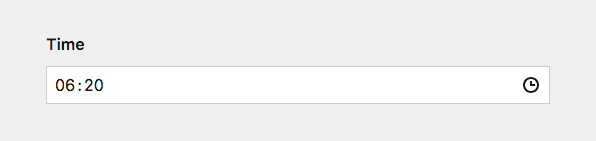
Example
fields:
  time:
    label: Time
    type: time
Field properties
| Name | Type | Default | Description |
|---|---|---|---|
| after | – | Optional text that will be shown after the input | |
| autofocus | bool |
– | Sets the focus on this field when the form loads. Only the first field with this label gets |
| before | – | Optional text that will be shown before the input | |
| default | – | Sets the default time when a new page/file/user is created | |
| disabled | bool |
– | If true, the field is no longer editable and will not be saved |
| display | – | Custom format (dayjs tokens: HH, hh, mm, ss, a) that is used to display the field in the Panel |
|
| format | string |
– | Defines a custom format that is used when the field is saved |
| help | – | Optional help text below the field | |
| icon | string |
clock |
Changes the clock icon |
| label | – | The field label can be set as string or associative array with translations | |
| max | string |
– | Latest time, which can be selected/saved (H:i or H:i:s) |
| min | string |
– | Earliest time, which can be selected/saved (H:i or H:i:s) |
| notation | int |
24 |
12 or 24 hour notation. If 12, an AM/PM selector will be shown. |
| required | bool |
– | If true, the field has to be filled in correctly to be saved. |
| step | – | Round to the nearest: sub-options for unit (minute) and size (5) |
|
| translate | bool |
true |
If false, the field will be disabled in non-default languages and cannot be translated. This is only relevant in multi-language setups. |
| when | – | Conditions when the field will be shown (since 3.1.0) | |
| width | string |
1/1 |
The width of the field in the field grid. Available widths: 1/1, 1/2, 1/3, 1/4, 2/3, 3/4
|
Display format
You can define the format of the time via the display option:
display: HH:mm
display: hh:mm A
display: h.m.s a| Token | Output | Description |
|---|---|---|
H |
0-23 | Hour |
HH |
00-23 | Hour, 2-digits |
h |
1-12 | Hour, 12-hour clock |
hh |
01-12 | Hour, 12-hour clock, 2-digits |
m |
0-59 | Minute |
mm |
00-59 | Minute, 2-digits |
s |
0-59 | Second |
ss |
00-59 | Second, 2-digits |
A |
AM PM | |
a |
am pm |
The field will parse any input by matching it to the display format. display: HH:ss will match an input of 09:35. It will also match partials or slight variations, e.g. 09, 9. The base for partials will be the current time.
Notation
You can choose between the 12 hour (AM/PM) and the 24 hour format. The default is the 24 hour format.
fields:
  time:
    label: Time
    type: time
    notation: 12
If you specify the display option, this will take priority (whether it includes A/a).
Step
The step option allows you to define intervals of valid values. Any input to the field gets rounded to the nearest interval step. The default is 5 minutes. Possible values for unit are hour, minute and second.
step:
  unit: minute
  size: 15

# only unit, size will default to `1`
step: hour

# only size, unit will default to `minute`
step: 10
Default value
The default value can either be set to a specific time (e.g. 17:00) – and will be matched with the closest interval option – or as now.
fields:
  time:
    label: Time
    type: time
    default: now
How to use in templates/snippets
The field stores its value in a standardized format in the content file: H:i:s. To output the field value as is:
<?= $page->time() ?>Render time in 24 hour format
<?= $page->time()->toDate('H:i') ?>With timezone identifier:
<?= $page->time()->toDate('H:i e') ?>Render the time in 12 hour format with am/pm:
<?= $page->time()->toDate('g:i a');